For support teams
That’s the fourth time today.
Send the guide.
Monday queue, and the “how do I reconnect my inbox?” ticket is back. Someone senior is typing the steps from memory again.
You’ve written this reply before. Next time, send a guide.
Join the waitlist See a sample guide
Asterly is early. Public access is a waitlist.
New ticket in the queue
“Hi, my inbox disconnected again. How do I reconnect it?”
Same ticket, fresh reply
- Every repeat ticket gets typed out fresh, and each agent words it a little differently.
- The macro you’d paste has a screenshot from before the last release.
- The honest cost: New agents learn the fixes by reading old tickets, so the queue slows down every time someone joins.
What Asterly does about it
Fix it once. Paste the link every time.
Record the fix in Chrome while you solve the ticket. AI drafts the steps with screenshots. Tidy them up, then paste one link into every reply.
When a release moves a screen, edit the step that changed and publish again. The link in your old replies stays the same.
From ticket to link
- Fix the ticket once with Asterly recording in Chrome
- Check the drafted steps and highlight the right button
- Paste the guide link into your reply
- Collect the repeat fixes in a help center customers can search
Real screens, demo data
Where your answers end up.
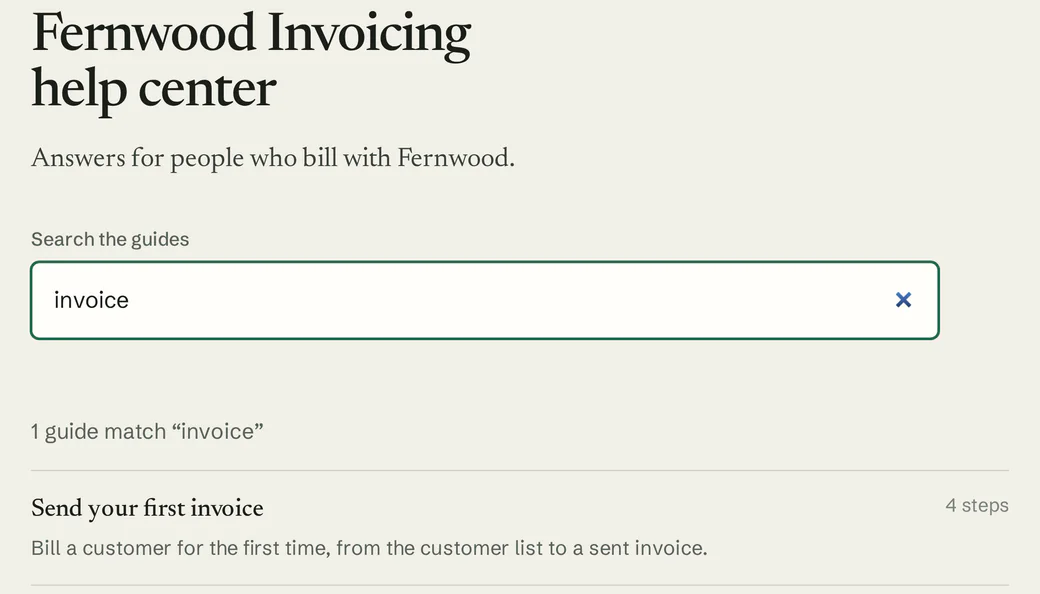
Starting with the help center customers would search. These are real Asterly screens; Fernwood Invoicing, the company in them, is made up.
Demo data Help center
Repeat fixes collect in a hosted help center with search, so customers can look up the answer themselves.
Demo data Link previews
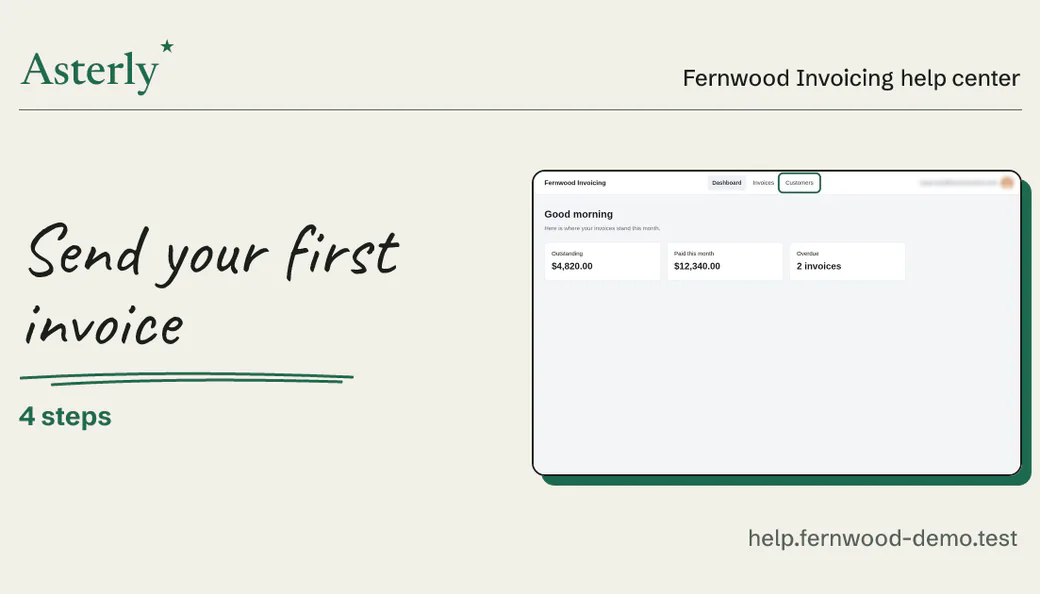
Paste the guide link into a reply. Where previews show up, it appears as a card with the title and a screenshot.
Demo data Editor
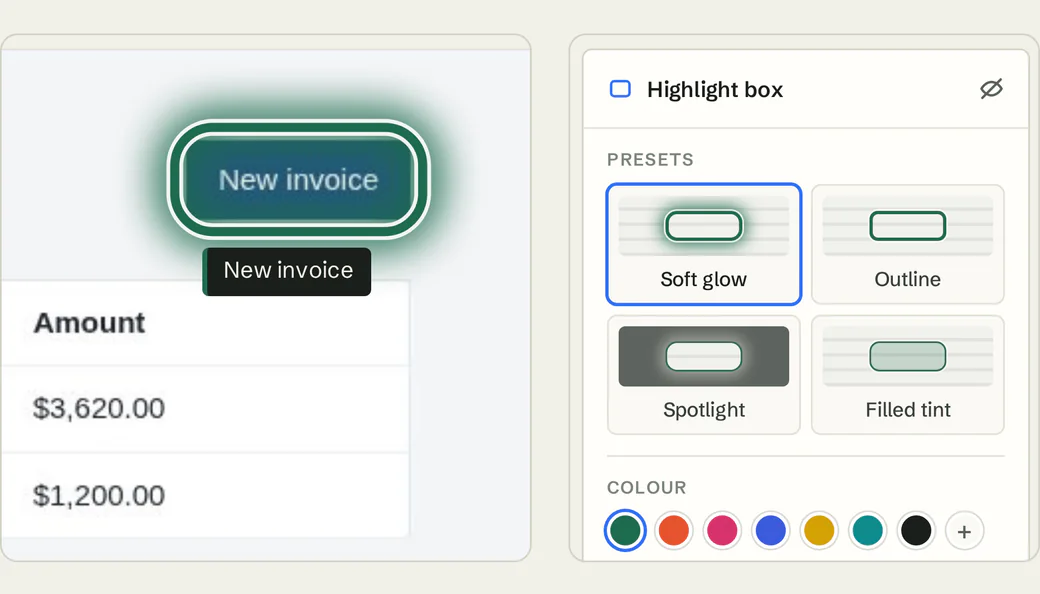
Fix the wording, then point at the exact button with Soft glow, Outline, Spotlight or Filled tint.
Demo data Recorder
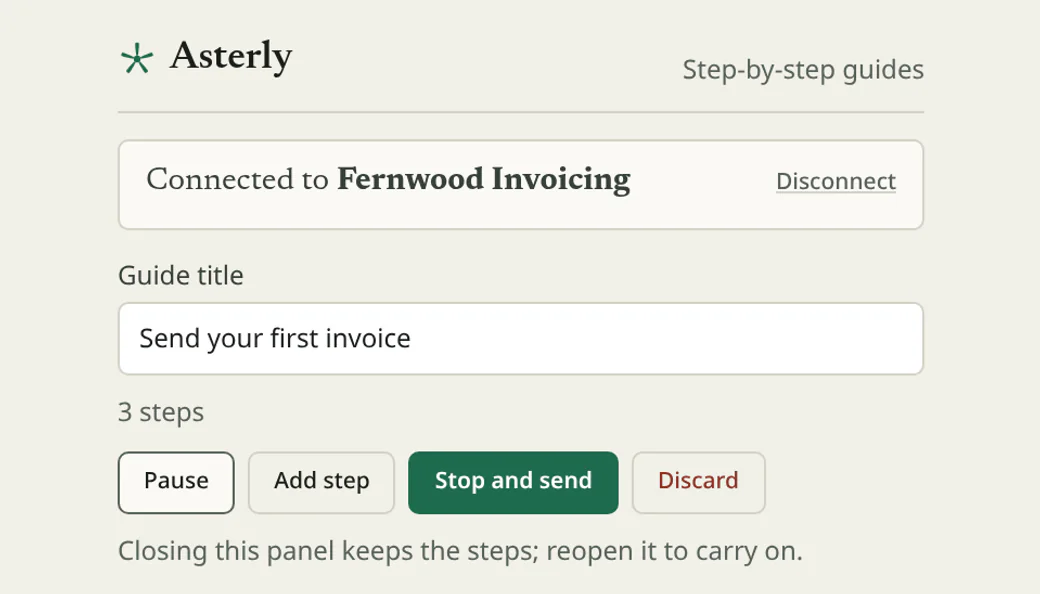
The Chrome side panel records while you work the ticket. Pause, add a step, then stop and send.
What you’d record
A guide for that ticket.
For your queue, you’d record something like this while you fix it:
An example, written out. Not recorded, so no screenshots
“Reconnect your email inbox”
- Open Settings
- Choose Channels
- Remove the disconnected inbox
- Add it again and send a test
We haven’t recorded that one. Here’s a guide we did make with Asterly, for a pretend invoicing app: four steps, each with its screenshot and the click marked.
Fernwood Invoicing Help center
Send your first invoice
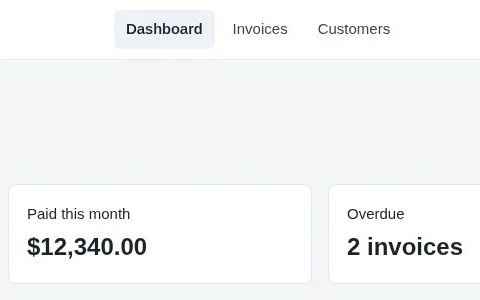
Check who you are billing
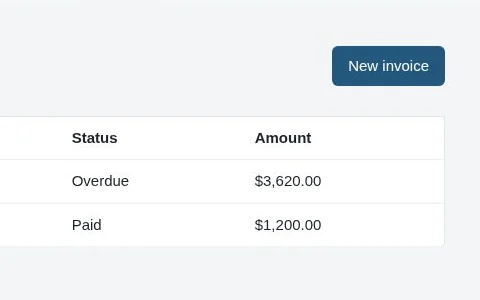
Start a new invoice
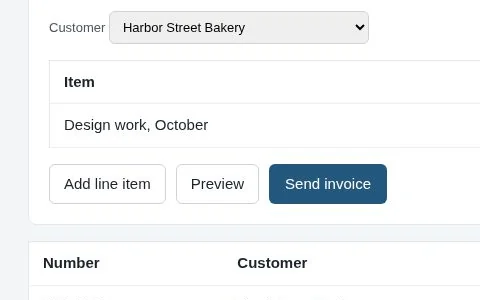
Add what you are billing for
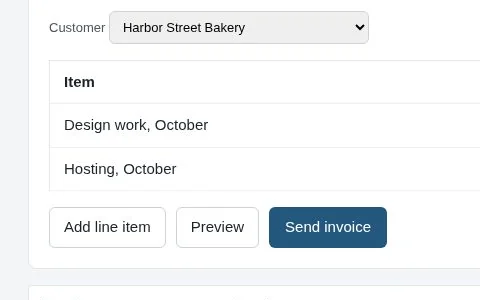
Send it
Demo data Fernwood Invoicing is made up.
Got a ticket that keeps coming back?
Asterly is early. Public access is a waitlist and pricing isn’t set. Leave your email, and tell me which ticket shows up in your queue every Monday.