For ops and IT
One person knows how.
Write it down while they do it.
The person who knows how is on leave, and a new hire is stuck waiting.
The task isn’t hard. It just lives in one head.
Join the waitlist See a sample guide
Asterly is early. Public access is a waitlist.
Message from a new hire
“How do I request access to the finance tool? Sam’s out till Monday.”
When one head holds the how-to
- The access request, the month-end export and the shared-drive setup all live in one person’s head.
- The wiki page has screenshots from a tool version you stopped using.
- The honest cost: That person is your unofficial help desk, and the task stops when they’re out.
What Asterly does about it
Record it the next time it’s done.
Next time someone does the task in Chrome, record it. AI drafts the steps with screenshots. Edit them, then link the guide from the onboarding checklist.
When a tool changes, edit the step that changed or record the flow again. Shared guides open for anyone with the link, so keep passwords and private details out of the recording.
From one head to the checklist
- Do the task once in Chrome while Asterly records
- Fix the wording and highlight the right setting
- Drop the link in the new-hire checklist
Real screens, sample workspace
What the next person would use.
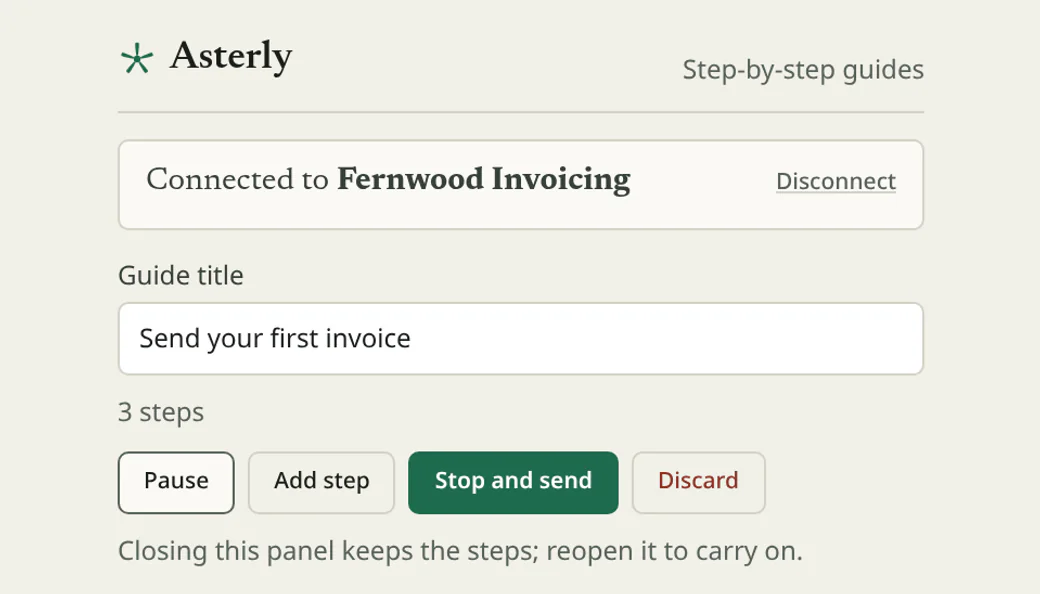
It starts with the recorder, running while the task gets done. Real Asterly screens; Fernwood Invoicing is made up for the demo.
Demo data Recorder
Whoever knows the task records it from the Chrome side panel as they go. Pause, add a step, then stop and send.
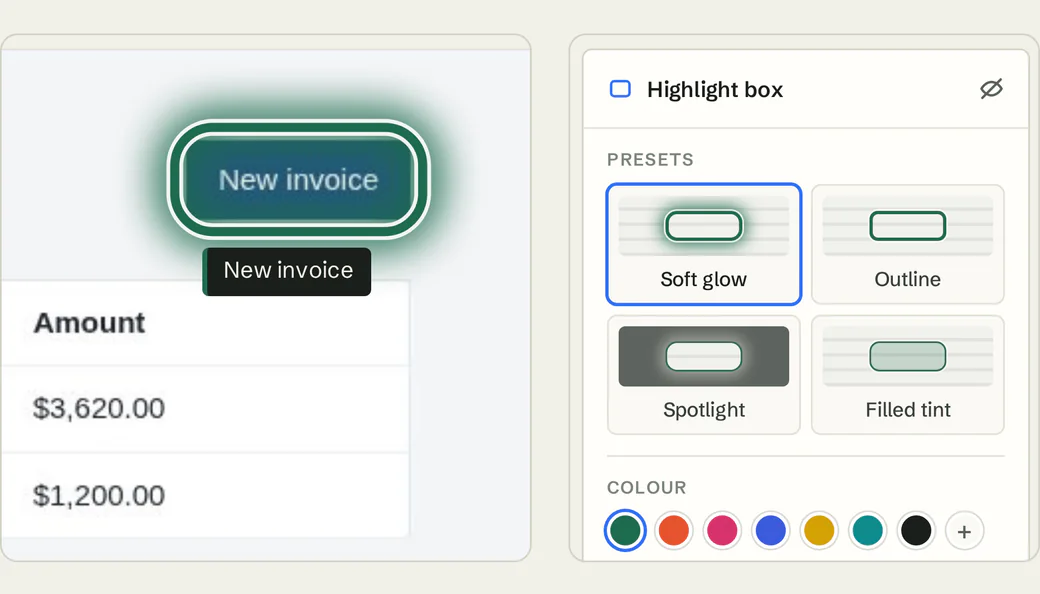
Demo data Editor
Fix the wording and highlight the exact setting, so the steps make sense to someone new.
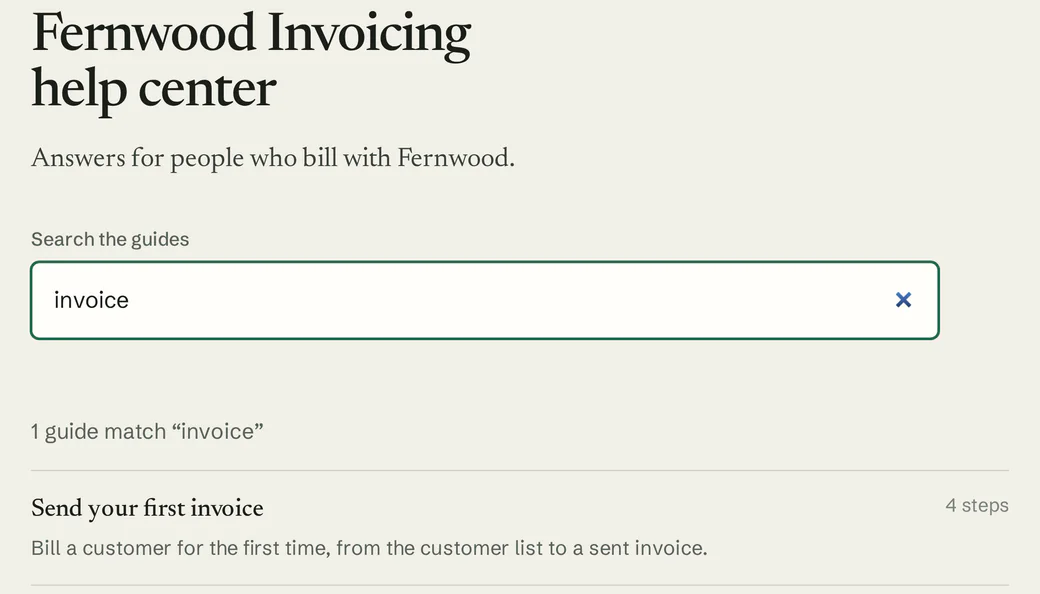
Demo data Help center
Keep the team’s how-tos together in a hosted help center with search. Like guide links, anyone with the address can open it.
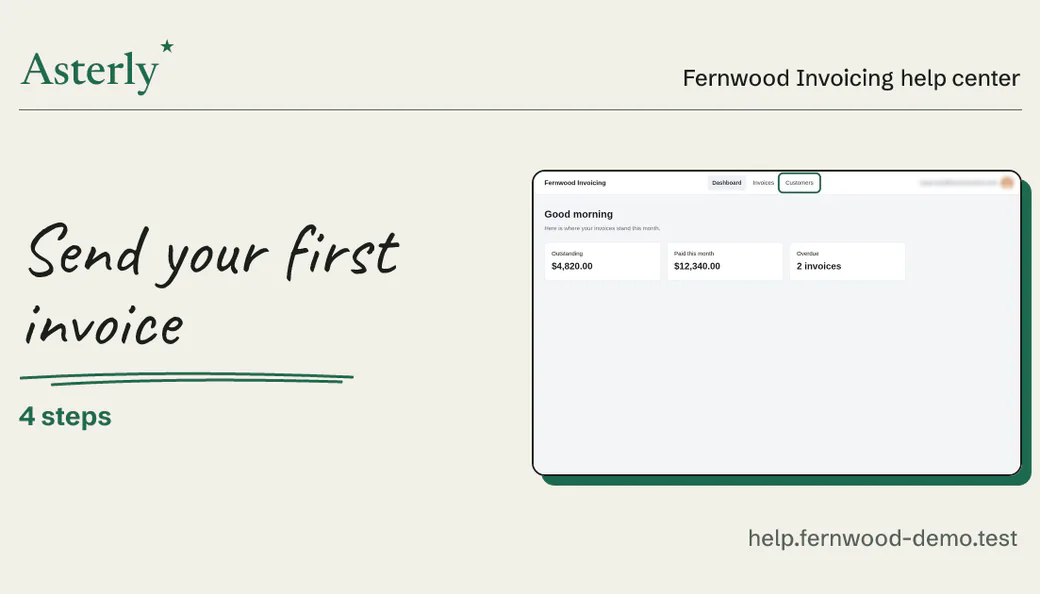
Demo data Link previews
Paste a guide link in a team message and it shows up as a card with the title and a screenshot.
What you’d record
A guide for the next new hire.
For your team, the person who knows would record something like this while they do it:
An example, written out. Not recorded, so no screenshots
“Request access to a new tool”
- Open the IT portal
- Choose Request access
- Pick the tool and your role
- Submit it for approval
We haven’t recorded that one. Here’s a guide we did make with Asterly, for a pretend invoicing app: four steps, each with its screenshot and the click marked.
Fernwood Invoicing Help center
Send your first invoice
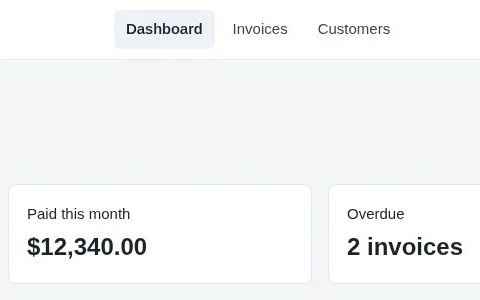
Check who you are billing
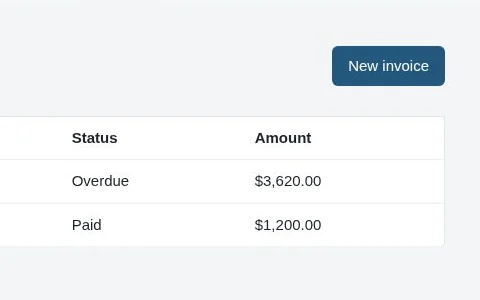
Start a new invoice
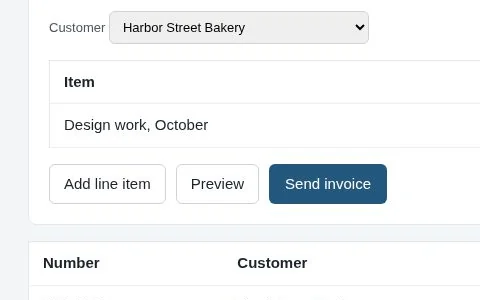
Add what you are billing for
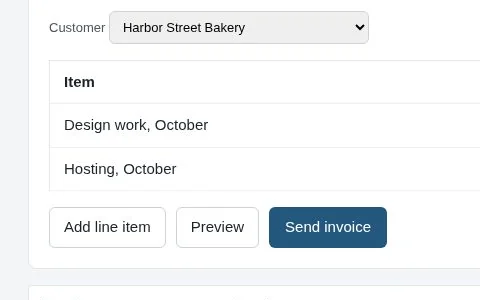
Send it
Demo data Fernwood Invoicing is made up.
Who’s your unofficial help desk?
Asterly is early. Public access is a waitlist and pricing isn’t set. Leave your email, and tell me the task everyone asks one person about.