For agencies and freelancers
The site is live.
Now comes the follow-up email.
Handoff day went well. A couple of weeks later, the client writes in: how do I change the banner again?
It’s the unpaid “quick question” nobody put in the quote.
Join the waitlist See a sample guide
Asterly is early. Public access is a waitlist.
Client email, after launch
“Sorry, how do I change the banner again?”
The bit nobody quotes for
- The handoff call covers every task, and the client remembers a couple.
- Handoff docs are never in the quote, so they get written late or not at all.
- The honest cost: Every “quick question” email pulls you off paid work, and the answer is always the same steps.
What Asterly does about it
Record the handoff while you build it.
Record each client task once while you do it. AI drafts the steps with screenshots. Edit them into the client’s words, then send a link or a PDF with the handoff.
Changed the site after launch? Edit the step that changed and publish again. The client keeps the same link.
From build to handoff
- Record each client task once while you do it
- Rewrite the steps in the client’s own words
- Send a link, or a help center on a custom domain
- Add a PDF or Markdown copy to the handoff package
Real screens, pretend client
What the client gets.
Led by a help center that can sit on a custom domain. Real Asterly screens; Fernwood Invoicing is made up for the demo.
Demo data Help center
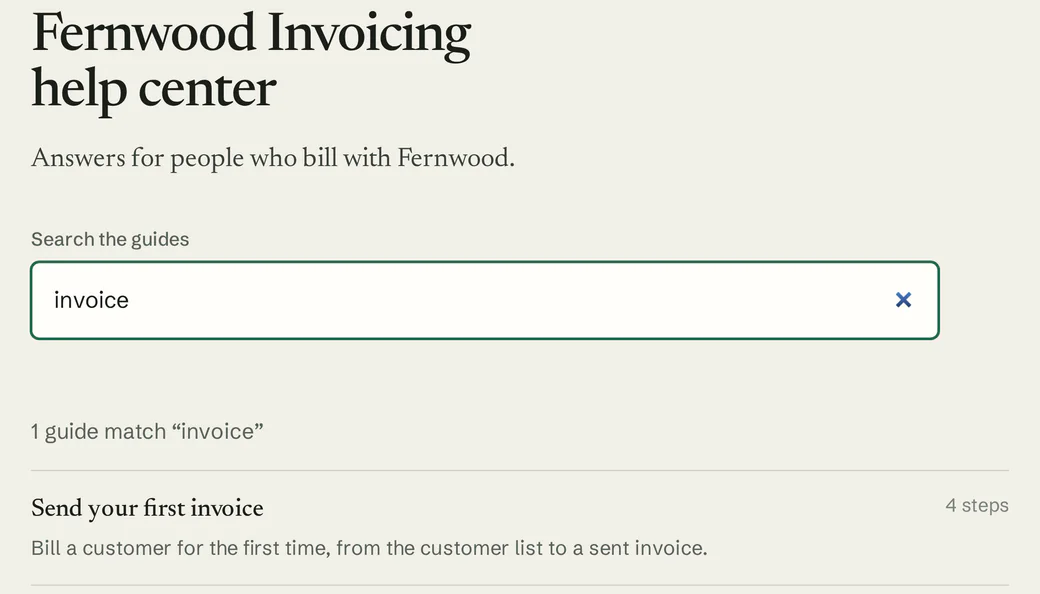
Group a client’s guides in a hosted help center with search, on a custom domain that matches their site.
Demo data Editor
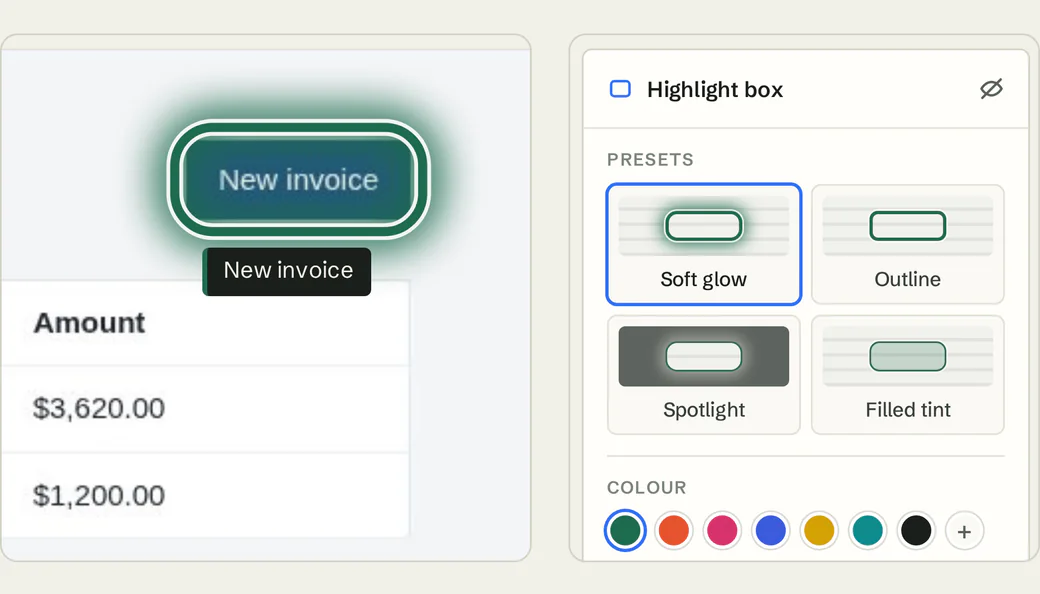
Swap your jargon for the client’s words and highlight the exact button they need.
Demo data Link previews
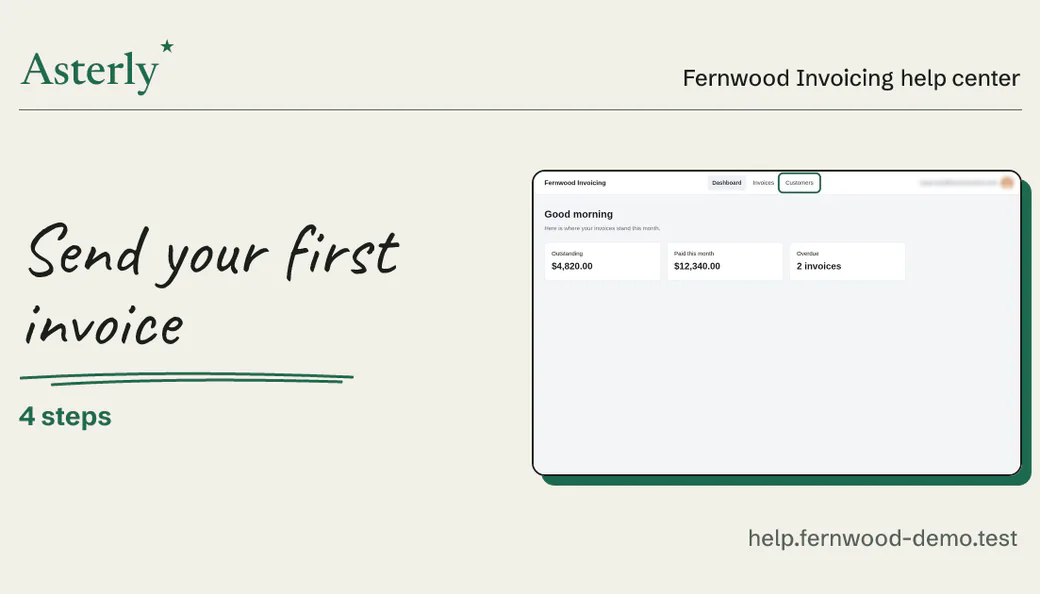
Send the guide link in an email or chat. Where previews show up, it appears as a card with the title and a screenshot.
Demo data Recorder
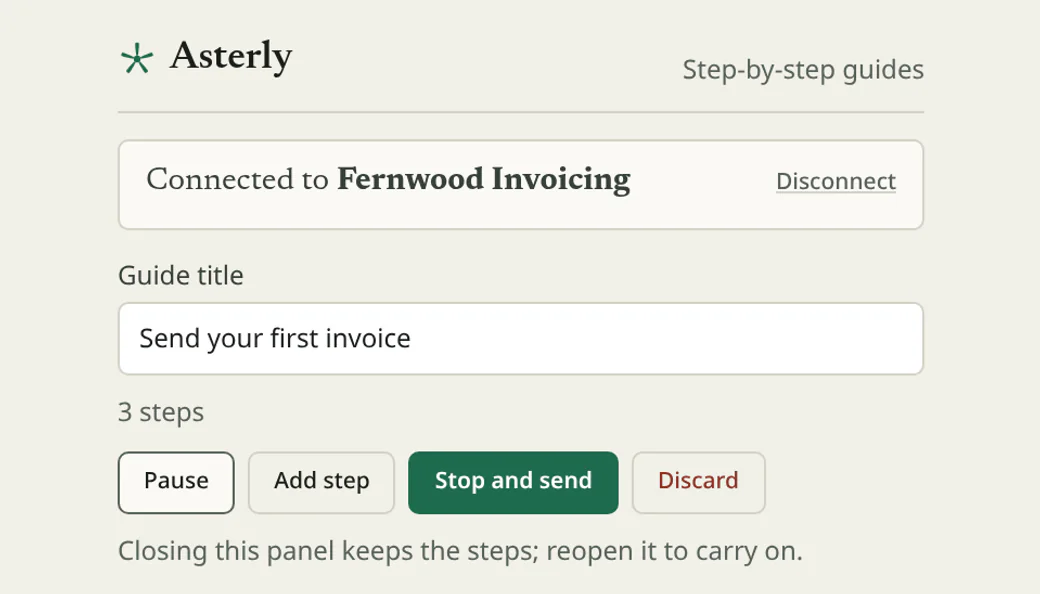
Record each task from the Chrome side panel while you build. Pause when you need to, stop when it’s done.
What you’d record
A guide the client keeps.
For a client handoff, you’d record something like this, then add the PDF to the package:
An example, written out. Not recorded, so no screenshots
“Publish a blog post on your new site”
- Log in to the CMS
- Add a post
- Upload the image
- Publish
We haven’t recorded that one. Here’s a guide we did make with Asterly, for a pretend invoicing app: four steps, each with its screenshot and the click marked.
Fernwood Invoicing Help center
Send your first invoice
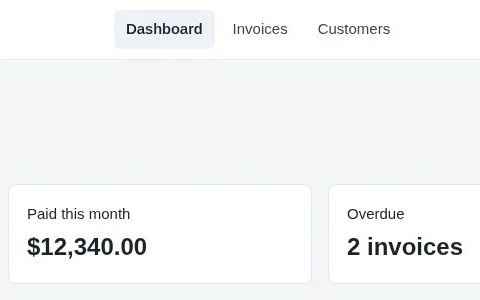
Check who you are billing
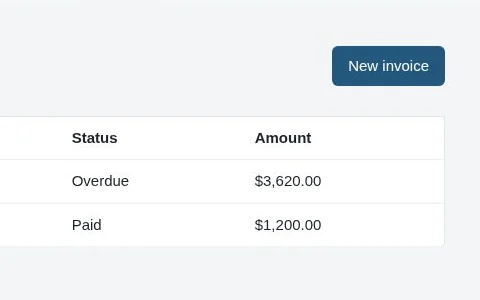
Start a new invoice
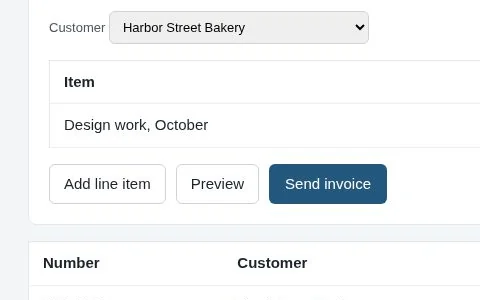
Add what you are billing for
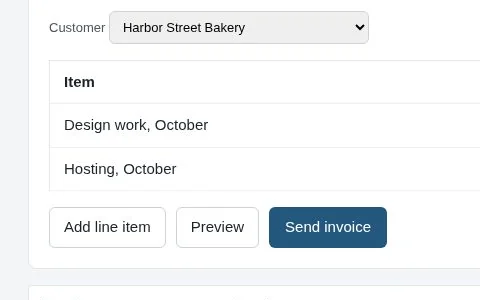
Send it
Demo data Fernwood Invoicing is made up.
What do clients ask after launch?
Asterly is early. Public access is a waitlist and pricing isn’t set. Leave your email, and tell me what clients ask you most after launch.